
How to Migrate an Existing UIKit App to SwiftUI
A Step-by-Step Guide to Migrating the UIKit App to SwiftUI

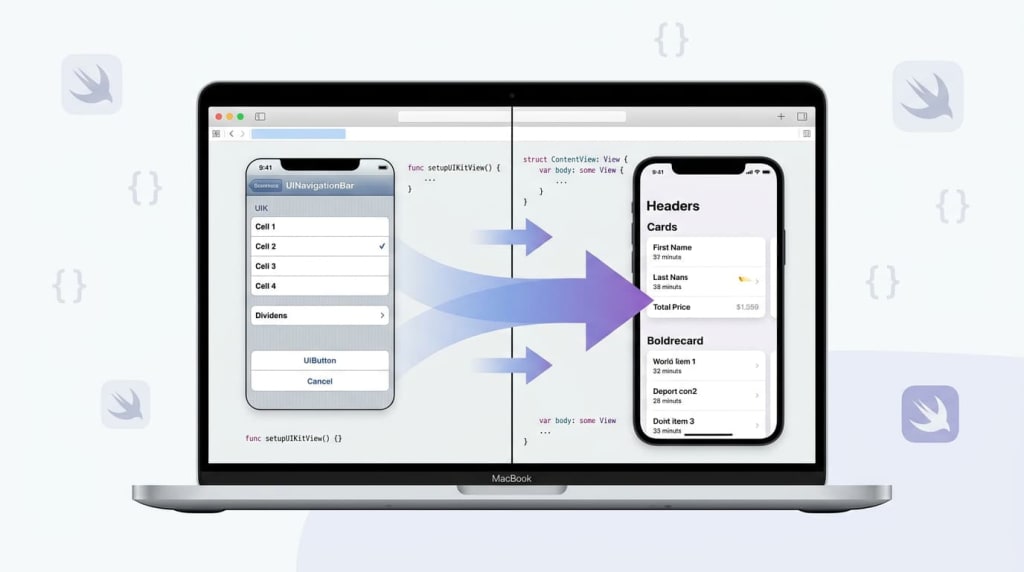
In the modern mobile landscape, companies face growing pressure to deliver high-quality, maintainable apps. Many organizations initially launch many apps on iOS before Android, due to the platform’s uniform hardware ecosystem, strong monetization potential, and a relatively predictable user base. While UIKit has been the mainstay for iOS development for over a decade, Apple’s SwiftUI offers a modern, declarative alternative that promises easier maintenance, faster iteration, and a more reactive approach to UI development. Migrating an existing UIKit application to SwiftUI requires careful planning, a strong understanding of both frameworks, and a strategy that minimizes disruption to users.
Understanding UIKit and SwiftUI
UIKit is an imperative framework, which means developers explicitly define how UI elements are created, updated, and managed. This allows for precise control but often results in verbose code, especially for complex interfaces. SwiftUI, introduced in 2019, is a declarative framework: developers define the desired UI state, and the framework automatically updates the view when the state changes.
The distinction between SwiftUI vs UIKit is critical when planning a migration. UIKit emphasizes manual lifecycle management and view updates, while SwiftUI encourages a reactive approach where UI is a reflection of underlying data. Transitioning an app requires reconsidering how state, navigation, and layout are handled, while ensuring consistency for existing users.
Evaluating Your UIKit App
Not every UIKit application is equally suited for an immediate migration. A detailed assessment can help determine which components benefit most from SwiftUI. Key factors to examine include:
- View complexity: Determine which screens rely heavily on custom controls, animations, or intricate layouts. These may need wrappers or partial migration before a full SwiftUI rewrite.
- Third-party dependencies: Some UIKit libraries may not have SwiftUI equivalents and will need bridging using UIViewRepresentable.
- Code modularity: Large view controllers or tightly coupled code may require refactoring into smaller, testable components before migration.
This evaluation informs a roadmap for migration, balancing effort, risk, and the benefits of adopting SwiftUI’s modern paradigms.
Incremental Migration Strategy
A full rewrite of a UIKit application is usually risky and resource-intensive. A more pragmatic approach is incremental migration, gradually integrating SwiftUI components while keeping the existing app functional.
- Embedding SwiftUI in UIKit: Use UIHostingController to include SwiftUI views inside UIKit view controllers. This is ideal for new screens or features.
- Embedding UIKit in SwiftUI: UIViewControllerRepresentable and UIViewRepresentable allow existing UIKit views to coexist in SwiftUI layouts. This ensures complex legacy components remain operational during the transition.
By migrating incrementally, developers can validate functionality, measure performance, and iterate based on real-world usage rather than committing to a full-scale rewrite upfront.
Refactoring the Data Layer
SwiftUI relies heavily on reactive, state-driven design. Existing apps built on MVC patterns may require a refactor to embrace ObservableObject, @Published, and @State. Steps include:
- Isolate business logic: Move logic out of view controllers into separate model classes. This improves testability and decouples UI from data.
- Introduce reactive patterns: Convert mutable state into observable objects that automatically propagate changes to the UI.
- Establish single sources of truth: SwiftUI prefers centralized state to avoid inconsistencies, making it easier to track and update the interface as data changes.
While this refactor may initially slow development, it lays the foundation for a cleaner, more maintainable codebase.
Updating Navigation and Layouts
UIKit handles navigation imperatively using UINavigationController and UITabBarController. SwiftUI, in contrast, leverages declarative navigation stacks.
- NavigationStack and NavigationSplitView: SwiftUI’s stack-based navigation replaces traditional controllers and supports state-driven navigation. For multi-column layouts, NavigationSplitView is particularly useful.
- Lists and Lazy Stacks: List, LazyVStack, and LazyHStack replace table and collection views, efficiently handling large data sets with minimal code.
- Adaptive layouts: Use HStack, VStack, ZStack, and GeometryReader to create responsive, declarative designs.
Transitioning layouts often requires breaking monolithic view controllers into smaller, reusable SwiftUI components, improving maintainability and testing.
Animations and Gestures
SwiftUI simplifies animations and gestures. UIKit developers accustomed to UIView.animate blocks can take advantage of declarative animation and gesture handling:
- Implicit and explicit animations: SwiftUI allows automatic animation of property changes with .animation() or fine-grained control using withAnimation.
- Gesture modifiers: Tap, drag, long-press, and pinch gestures can be added directly to views declaratively, reducing boilerplate code.
Starting with critical interactions ensures the user experience remains smooth while fully transitioning UI elements.
Testing and Quality Assurance
Migration introduces the risk of regressions. SwiftUI encourages modular, testable components:
- SwiftUI Previews: Allow rapid visual testing of individual views.
- Unit and integration tests: Validate data flow and reactive state updates.
- User acceptance testing: Ensure that the UI behavior remains consistent across devices and OS versions.
Comprehensive testing is essential to maintain user trust and avoid disruption during the migration process.
Performance Considerations
While SwiftUI generally improves maintainability, UIKit may outperform in scenarios with highly dynamic, scroll-heavy content. Profiling tools like Instruments can identify bottlenecks. A selective approach—keeping performance-critical views in UIKit while gradually migrating others—often yields the best results. Developers should continuously monitor memory usage, rendering performance, and responsiveness to ensure a smooth user experience.
Team Dynamics and Long-Term Productivity
Migration affects not only the code but also team workflows. Dedicated teams’ performance from a long-term perspective benefits from adopting SwiftUI. Declarative UI reduces boilerplate, simplifies onboarding for new developers, and encourages reusable, testable components. Teams should invest in training and pair programming to fully leverage SwiftUI’s paradigms. Over time, this leads to higher productivity, fewer bugs, and a codebase that is easier to maintain and extend with future iOS features.
Strategic Rollout and Release Management
Gradual rollout strategies minimize disruption to users:
- Feature flags: Allow new SwiftUI components to be toggled on for testing without releasing a full rewrite.
- Parallel deployment: Maintain UIKit and SwiftUI versions concurrently to monitor performance, crash reports, and user engagement.
- Incremental user feedback: Collect insights from early users to refine interactions, layout, and state management.
This phased approach ensures stability while allowing the organization to modernize its apps progressively.
Conclusion
Migrating an existing UIKit app to SwiftUI is a multifaceted endeavor that balances technical complexity with strategic considerations. By assessing the app, adopting an incremental migration strategy, refactoring the data layer, and carefully transitioning navigation, layout, and interactions, organizations can modernize their applications while maintaining user trust. For companies that launch many apps on iOS before Android, SwiftUI offers a path to cleaner code, faster iteration, and improved maintainability. With attention to team dynamics and long-term productivity, this migration can transform both the development process and the user experience, ensuring the app remains competitive and future-proof.
About the Creator
Damian Brown
IT consultant with 7+ years’ experience helping organizations optimize technology, implement scalable solutions, and drive digital transformation for measurable business results.
Keep reading
More stories from Damian Brown and writers in Education and other communities.
How to Design a Wallet UX for DeFi: Managing Transactions, Approvals, and Risks
Designing a wallet for DeFi is not simply a matter of enabling transactions—it is about shaping how users understand, approve, and control interactions with decentralized systems. Unlike traditional applications, DeFi wallets operate in an environment where every action is irreversible, every approval carries risk, and every interaction may involve a smart contract beyond the user’s direct control.
By Damian Brown3 days ago in Education
Why Children Need Quiet as Much as Play
Children are often described through motion. Adults picture running feet, loud laughter, blanket forts, toy cars under the couch, and the kind of energy that can turn an ordinary room into a full afternoon story. Play deserves that attention. It helps children test ideas, build social skills, use language in flexible ways, and work through feelings they cannot always name yet.
By Kelsey Thorn4 days ago in Education
Planting Progress: How Agriculture Creates a Sustainable Future Without Hunger
Hunger continues to affect millions worldwide, yet agriculture offers a powerful and lasting solution when properly developed. By focusing on long-term food security, communities can build systems that consistently provide access to nutritious food. Agriculture does more than feed people because it strengthens economies, creates jobs, and promotes self-reliance. When farming systems are supported and modernized, they become reliable sources of both income and nourishment. Ultimately, agriculture lays the foundation for a future where hunger is reduced through sustainable growth.
By Convoy of Hope3 days ago in Education
Thirty (one) and Neither Flirty nor Thriving.
I'm thirty-one and orbiting the same few mistakes like they're landmarks. London is already awake before I am (or before I've slept) - sirens somewhere far enough to ignore, buses sighing at stops, people moving with purpose I can't quite borrow. I lie there for a bit, tasting last night at the back of my throat, trying to remember if I meant to drink that much or if it just...happened again.
By Stacey Vella4 days ago in Psyche


Comments
There are no comments for this story
Be the first to respond and start the conversation.