
Every Type of QR Code Explained: A Practical Guide for 2026
A Practical Guide for 2026
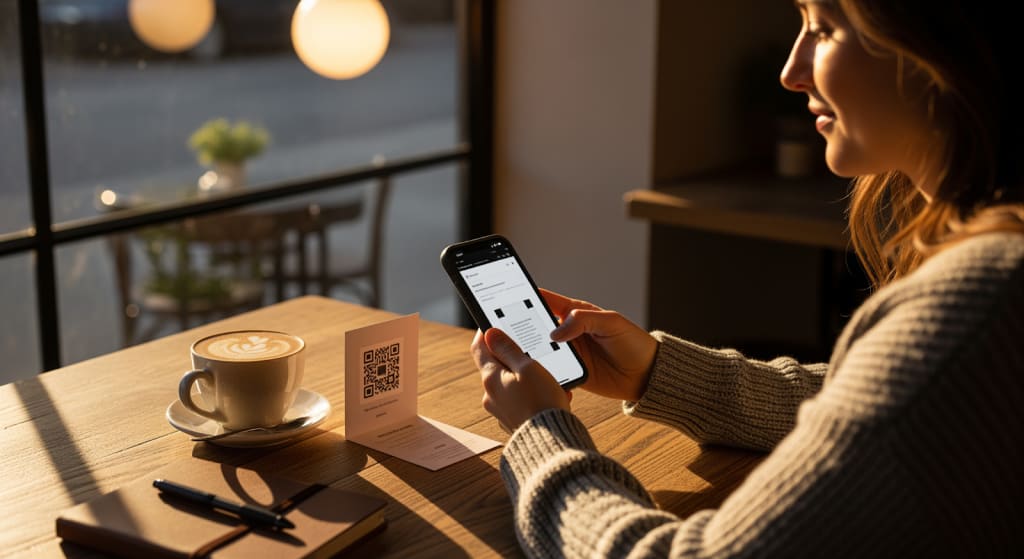
Not all QR codes do the same thing. The square black-and-white pattern might look identical from the outside, but what happens after someone scans it depends entirely on the type of code you create. One type opens a web page. Another saves a contact card to the scanner's phone. A third connects them to a WiFi network without asking for a password.
There are nine distinct types of QR codes in common use today, and the majority of people only need one or two. But choosing the wrong type means the scan works fine while the result confuses whoever pointed their phone at it. This guide breaks down all nine, explains the critical difference between static and dynamic codes, and covers the four types that matter most for business use.
All 9 Types at a Glance

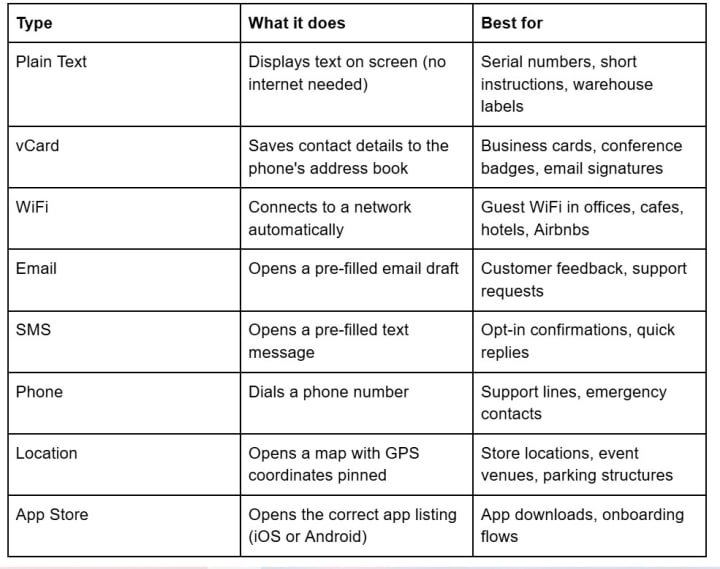
For most people, URL codes handle 80% of use cases. The remaining eight types exist because sometimes you want the scan to trigger a specific action on the phone rather than just load a webpage.
Static vs. Dynamic: The Distinction That Actually Matters
Before picking a QR code type, you need to understand how the code stores its data. This is more important than the type itself.
A static QR code bakes the destination directly into the pattern. A static URL code, for instance, encodes the full web address — https://yoursite.com/menu — into the arrangement of black and white squares. It works forever, needs no internet server to maintain it, and cannot be tampered with. But if you need to change where it points, you reprint every surface carrying that code.
A dynamic QR code works differently. Instead of encoding your final URL, it encodes a short redirect URL controlled by a QR code platform. When someone scans the code, the platform's server receives the request and forwards them to whatever destination you've configured. You can change that destination at any time without touching the printed code. Dynamic codes also track scan data — how many people scanned, when, where, and on what device.
Dynamic codes account for 64.35% of the global QR code market, according to Mordor Intelligence. The reason is practical: businesses print codes on physical materials that are expensive to replace, and the ability to update a destination after printing is worth the trade-off of depending on a platform's server.
Any dynamic QR code generator will let you switch between these approaches. The right choice depends on whether you need to change the code's behavior after it has been printed.
The Four Types Worth Understanding in Detail
URL Codes
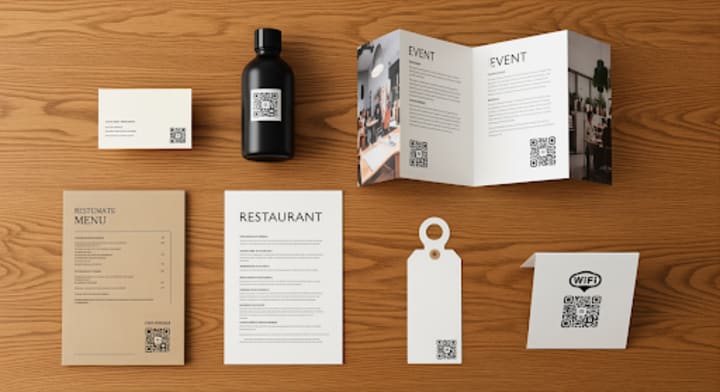
URL codes are the workhorse. A restaurant prints one on a table tent to link to an online menu. A real estate agent puts one on a yard sign linking to the listing page. A conference organizer prints one on badges linking to the event schedule.
With a static URL code, the link is permanent and unchangeable. With a dynamic URL code, you can swap the destination whenever you want. A seasonal retailer might point their code to a summer sale page in June and a holiday gift guide in December, all without reprinting the in-store signage.
If you only ever create one type of QR code, this is the one. URL codes account for the vast majority of all QR codes generated worldwide.
vCard Codes
A vCard QR code turns a scan into a saved contact. Name, phone number, email address, company, job title, website — all of it gets added to the scanner's address book in one tap. No typing, no spelling mistakes, no lost business cards.
The practical advantage over a printed business card is speed. At a conference, exchanging contacts by scanning codes takes two seconds per person instead of the shuffle-through-a-stack-of-cards routine. And because the data goes straight into the phone's contacts app, it actually gets used afterward.
One thing to watch: static vCard codes encode all the contact data into the QR pattern itself, which makes the code visually dense. More data means more tiny squares, which means the code needs to be printed larger to scan reliably. Dynamic vCard codes avoid this problem by storing the contact data on a server and encoding only a short URL in the pattern.
WiFi Codes
A WiFi QR code connects the scanner to a network automatically. No typing the password, no asking the barista to repeat it, no misspelling "Gr33nTurtle_5G." The code encodes the network name, password, and encryption type. One scan and the phone joins the network.
Hotels, coworking spaces, and Airbnb hosts have started replacing printed password cards with WiFi QR codes for exactly this reason. It eliminates the most common friction point in guest WiFi: getting the password right on the first try.
WiFi codes are almost always static. The network credentials are encoded directly in the pattern, and there is no redirect server involved. If you change your WiFi password, you print a new code. One limitation: the password is stored in plain text inside the QR pattern, so anyone who scans the code gets the credentials. For guest networks this is fine. For internal networks, use a separate SSID.
App Store Codes
An App Store QR code sends the scanner to the right app listing based on their device. An iPhone user gets sent to the Apple App Store. An Android user gets sent to Google Play. This detection only works with dynamic codes, because the redirect server needs to check the device type before deciding where to send the user.
Without a dynamic App Store code, you would need two separate codes — one for iOS and one for Android — and hope people scan the right one. That creates visual clutter and confusion on printed materials where space is limited.
How to Choose the Right Type
The decision comes down to one question: what do you want to happen when someone points their phone at your code?
If the answer is "open a webpage," use a URL code. If it's "save my contact info," use vCard. If it's "join this WiFi network," use WiFi. For everything else — feedback forms, support numbers, directions to your office — pick the type that matches the action.
Then decide static or dynamic. If the code is going on anything that gets printed in quantity — packaging, menus, signage, merchandise — dynamic is almost always the right call. The cost of reprinting 10,000 product labels because a URL changed dwarfs the cost of using a dynamic code platform. A free QR code generator like FreeQR can handle both static and dynamic codes for all nine types, which removes the cost barrier from the decision entirely.
If the code is for personal use, a one-time event, or something purely digital (like an email signature), static works fine.
Before You Create Your First Code
The QR code market hit $13 billion in 2025 and is projected to reach $33 billion by 2031. An estimated 102.6 million U.S. smartphone users will scan a QR code in 2026. The technology is mainstream.
But the type of code you create shapes the experience on the other end of the scan. A URL code that opens a webpage is not interchangeable with a vCard code that saves a contact, even though both start with the same black-and-white square. Pick the type that matches your intent, choose static or dynamic based on whether you will need to make changes later, and test the code on at least two different phones before you send anything to the printer. The nine types exist because nine different situations call for nine different responses to the same simple action: pointing a phone at a pattern.
About the Creator
Keep reading
More stories from Shahid Sipra and writers in Longevity and other communities.
How Working With a Florist in Jupiter Enhances Your Event Decor
Selecting the perfect floral arrangements can transform an otherwise ordinary event into a visually stunning experience. In Jupiter, Florida, the subtropical climate provides an ideal backdrop for an array of breathtaking floral designs that can enhance any space. By employing the expertise of a local florist jupiter, hosts can elevate their event's aesthetic beyond the commonplace and into the extraordinary.
By Shahid Sipra13 days ago in Art
Microsoft's Purposeful Marketing Deception About AI's Ability To Beat Physicians In Diagnosis
When you look at the world of scientific research... If you are not careful... You will be fooled into believing things that are not actually supported by the data.
By Dr. Cody Dakota Wooten, DFM, DHM, DAS (hc)10 days ago in Longevity
Early Warning Signs: Minor Symptoms That Evolve Into Chronic Pain
Most people dismiss minor aches and stiffness as temporary inconveniences or inevitable parts of aging. However, medical experts across multiple specialties warn that these seemingly insignificant symptoms often serve as early warning signs of chronic pain conditions that become far more difficult and expensive to treat once they progress. Understanding which minor symptoms deserve immediate attention can prevent years of unnecessary suffering and disability.
By Tim Clarke6 days ago in Longevity


Comments
There are no comments for this story
Be the first to respond and start the conversation.